Here's a counterintuitive truth about South African field service businesses: most of the time, when a client doesn't come back, it's not because the work was bad. The pipes hold. The lights work. The panels are generating power.
They don't come back because they didn't know when the technician was coming, got no confirmation that the job was booked, had to call three times to find out what was happening, and felt like they were an inconvenience rather than a client.
A 2024 Salesforce study found that 76% of customers who switched service providers cited communication failures as the primary reason, not quality issues, not price. The business that tells clients what's happening, when it's happening, and follows up afterward wins the repeat business regardless of price.
This guide covers how to automate the complete customer communication journey, from booking confirmation through to post-service review request, using tools built into Omni.
WhatsApp Job Notifications: The Automated Communication Sequence
WhatsApp has a 95%+ open rate in South Africa, far higher than email. Omni's WhatsApp integration sends automated messages at each stage of the job lifecycle:
- Booking confirmation, 'Hi [Name], your [service type] with Omni Field has been confirmed for [date] between [time window]. Your reference number is [JOB-REF]. Reply HELP if you need to change this.'
- Day-before reminder, 'Reminder: Your [service] is scheduled for tomorrow, [date], between [time window]. Your technician will be [Technician Name].'
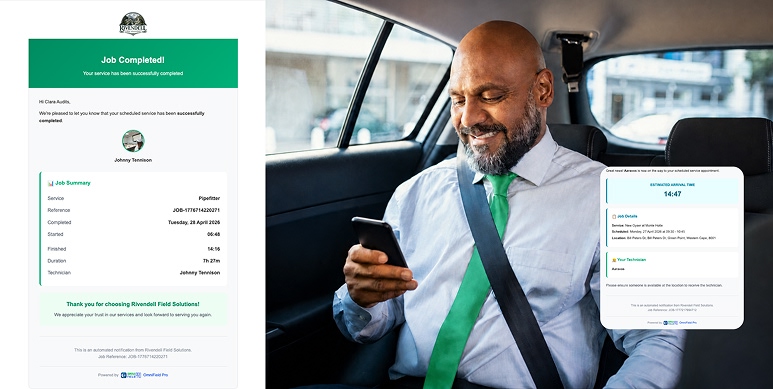
- Technician dispatched, '[Technician Name] is on their way to you now. Estimated arrival: [ETA]. You can track their location here: [live tracking link].'
- Technician arrived, automatically triggered by GPS geofence crossing
- Job completed, 'Your [service] has been completed. Your invoice has been sent to [email]. Click here to pay: [Paystack link].'
- Review request, sent 2 hours after completion: 'We hope the [service] went well! If you''re happy with our work, a quick Google review means the world to a small business. [Review link]'
Customer Portal: Self-Service for Commercial Clients
For commercial clients, property managers, body corporates, facilities managers, a phone call to report a fault or check a job status is an interruption to their day. A client portal that lets them self-serve is not just a convenience feature, it's a competitive differentiator that makes you the preferred supplier for professional clients.
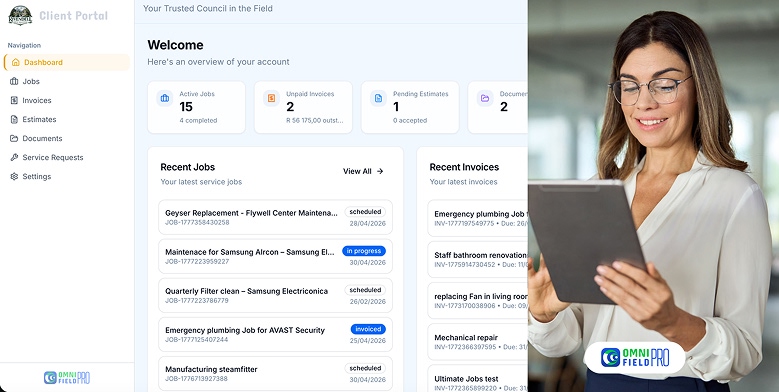
The Omni client portal allows commercial clients to:
- Log new service requests with photos and descriptions
- Track the status of all open jobs in real time
- View the full service history for their property or properties
- Download invoices and statements
- View upcoming scheduled maintenance visits
- Communicate with your team via the job thread
For property managers looking after multiple buildings, the multi-site view shows all properties in one dashboard, with status indicators showing which sites have open jobs, overdue maintenance, or upcoming visits.
Automated Pest Control Service Reminders
Pest control businesses on maintenance contracts need to remind clients of upcoming treatment visits, both to ensure access is arranged and to trigger the client's awareness of the service value they're receiving.
In Omni, automated reminders are configured per contract:
- 30 days before treatment: 'Your quarterly pest control service is coming up on [date]. Please ensure access to [areas] is available.'
- 7 days before treatment: 'Reminder: Your pest control service is scheduled for [date] between [time]. Your technician will be [Name].'
- Post-treatment: 'Your pest control treatment has been completed. Your compliance certificate is attached. Next scheduled service: [date].'
Seasonal reminders can also be configured for businesses offering seasonal treatments, e.g., pre-summer mosquito and flying insect treatments, or pre-winter rat and rodent treatments.
Technician On-the-Way Notifications: Live ETA Sharing
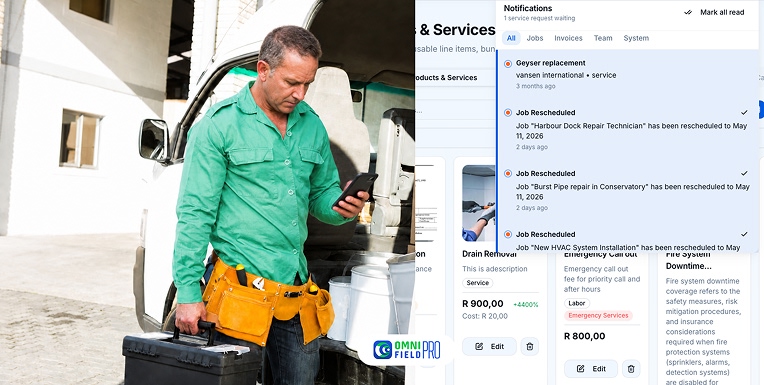
Nothing frustrates customers more than a wide arrival window and no update when the technician is running late. Omni's live tracking link, sent in the 'technician dispatched' WhatsApp message, lets the customer see the technician's real-time location on a map, with an ETA that updates as traffic conditions change.
This eliminates the 'where is he?' calls to your office entirely. The client knows exactly where the technician is without having to ask anyone.
Post-Job Feedback Collection
The automated review request sent 2 hours after job completion is the highest-converting review acquisition strategy for SA field service businesses. At that moment, the client's satisfaction is highest, the experience is fresh, and the friction to leaving a review is lowest (because you've included a direct link).
Omni's feedback system captures two data points simultaneously: an internal satisfaction rating (1-5 stars) that is stored in your CRM and visible to your team, and an optional redirect to Google Reviews for clients who rate 4 or 5 stars publicly. Clients who rate 1-3 stars internally do not receive the Google redirect, instead, their feedback is flagged for manager follow-up.
Automate Your Customer Communications
WhatsApp integration, automated notifications, client portal, and post-job feedback collection are included in every Omni plan. Start your free trial, configure your first automated communication sequence in under an hour.